How to Prepare Your Documents for Best OCR Results?
 Admin7 min read
Learn how to prepare invoices, receipts, and financial documents for the most accurate OCR results. Discover practical tips to improve document quality, reduce errors, and maximize AI-powered extraction accuracy with DocuNero.
Introduction
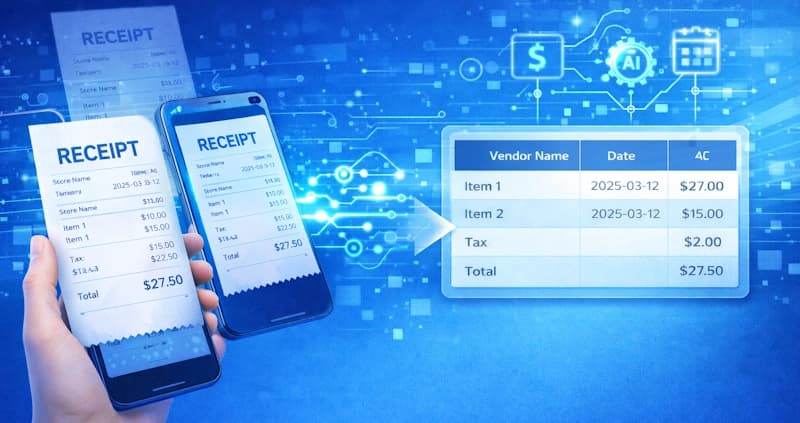
Optical Character Recognition (OCR) has become one of the most important technologies for modern businesses managing invoices, receipts, and financial documents. Instead of manually typing data into accounting systems, OCR software can extract key information such as vendor names, invoice numbers, dates, and totals automatically.
However, the accuracy of OCR does not depend only on the software. The quality and preparation of the document itself plays a major role in how well data can be extracted. Even advanced AI-powered solutions can struggle when documents are blurry, poorly aligned, or partially captured.
Platforms like DocuNero’s intelligent document OCR use advanced AI to understand document structure and extract financial data automatically. But when documents are properly prepared before uploading, the accuracy improves dramatically.
Whether you are uploading supplier invoices using automated invoice processing or managing expense documents through receipt scanning, understanding how to prepare documents for OCR can significantly reduce errors and manual corrections.
This guide explains practical steps you can follow to prepare invoices, receipts, and financial documents for the best OCR results.
Why Document Preparation Matters for OCR
OCR works by analyzing images or PDFs and converting visible text into machine-readable data. Modern OCR systems use artificial intelligence to detect characters, identify layouts, and extract meaningful information from documents.
However, when documents are poorly scanned or contain visual distortions, the OCR engine may misinterpret characters. For example, the number “8” may be read as “B”, or a decimal point may disappear entirely.
According to the IBM guide to OCR technology, document quality and image clarity are among the most important factors influencing OCR accuracy.
This means that taking a few simple steps before uploading documents can dramatically improve extraction results.
Use High-Quality Scans or Images
The single most important factor for OCR accuracy is document clarity. Low-resolution images or heavily compressed files can cause characters to blur together, making it difficult for OCR systems to interpret the text correctly.
For best results, documents should be scanned at a resolution of at least 300 DPI. This ensures the text appears sharp and readable.
Avoid taking screenshots of documents or uploading heavily compressed images. If possible, export documents directly as high-quality PDFs rather than printing and scanning them again.
Clear document images allow OCR systems to detect characters more accurately and extract structured information reliably.
Make Sure Documents Are Properly Aligned
OCR systems work best when text follows a consistent horizontal layout. If a document is rotated, skewed, or captured at an angle, the OCR engine may struggle to detect the correct reading order.
Before uploading documents, check that they are not rotated sideways or upside down. The text should appear straight and aligned horizontally.
Many OCR tools can automatically correct minor rotation issues, but properly aligned documents still produce significantly better results.
This becomes especially important when processing large numbers of invoices or receipts where even small errors can accumulate quickly.
Avoid Shadows and Poor Lighting
Lighting conditions can significantly affect OCR accuracy when photographing documents with a mobile device.
Shadows across the document can hide characters, while bright reflections from glossy paper may distort printed text. These visual distortions can cause OCR systems to misinterpret important information such as totals or invoice numbers.
To avoid these problems, capture documents in evenly lit environments. Place the document on a flat surface and ensure the entire page is visible without glare or reflections.
Good lighting ensures OCR engines can clearly detect every character on the page.
Capture the Entire Document
One common mistake when scanning documents is capturing only part of the page. Missing sections can prevent OCR systems from identifying important fields.
For example, supplier information typically appears at the top of invoices, while totals are often located at the bottom. If either section is missing, the OCR system may not extract complete data.
When scanning or photographing documents, make sure all edges of the page are visible. Avoid cropping headers, totals, or margins.
Capturing the entire document helps OCR systems understand the full structure and extract data more accurately.
Flatten Documents Before Scanning
Folded or wrinkled documents can distort printed text and reduce OCR accuracy. Many receipts are printed on thin thermal paper that easily curls or creases.
Before scanning or photographing receipts, flatten them completely. Smooth out folds and remove any clips or staples.
A flat document surface ensures the text remains evenly aligned and easier for OCR systems to interpret.
Use Clean Backgrounds When Taking Photos
When documents are photographed on busy or patterned backgrounds, the OCR system may detect unwanted visual noise.
Background textures can sometimes be mistaken for characters, which may affect extraction accuracy.
To avoid this issue, place documents on a plain background such as a white desk or neutral surface. Ensure there is clear contrast between the document and the background.
This helps the OCR engine clearly identify document boundaries and focus on the text itself.
Upload Digital PDFs When Available
Whenever possible, use the original digital PDF instead of scanning printed documents.
Many supplier invoices already contain embedded text layers inside the PDF file. OCR systems can often read this information directly without needing to analyze images.
This results in faster processing and much higher accuracy compared to scanned images.
Uploading original PDFs is one of the easiest ways to improve OCR performance.
Standardize Document Formats for Automation
Businesses processing high volumes of invoices often benefit from using standardized document formats.
When supplier invoices follow consistent layouts, OCR systems can identify key fields more reliably.
This becomes even more valuable when processing large numbers of documents automatically. Companies that handle bulk document uploads may benefit from batch workflows, as explained in this guide to batch invoice and receipt processing.
Consistent document structures allow AI systems to extract financial data faster and with fewer errors.
Remove Unnecessary Markups
Handwritten notes, stamps, highlights, or annotations can sometimes interfere with OCR recognition.
While some modern AI models can interpret handwriting, printed text remains much easier to extract accurately.
Whenever possible, avoid writing over printed text or placing stamps across important fields such as totals or invoice numbers.
Keeping documents clean allows OCR engines to focus on extracting the data that matters.
Choosing the Right OCR Platform
Even with well-prepared documents, the quality of OCR results also depends on the technology used.
Modern AI-powered platforms combine OCR with machine learning models that understand document structure and context.
Solutions like DocuNero are designed specifically for financial documents, automatically identifying fields such as vendor names, invoice numbers, taxes, and totals.
If you're evaluating different tools, our comparison of top invoice scanning software tools explains how leading OCR platforms differ in features, accuracy, and automation capabilities.
How DocuNero Helps Improve OCR Results
DocuNero combines advanced OCR with AI-powered document understanding to extract structured data from invoices, receipts, and financial documents automatically.
The system intelligently identifies document layouts and extracts important information such as vendor details, transaction dates, line items, and totals.
By combining properly prepared documents with intelligent AI processing, businesses can significantly reduce manual data entry and improve operational efficiency.
Organizations can also scale their document automation workflows with flexible plans available on the DocuNero pricing page.
Conclusion
OCR technology has transformed how businesses process financial documents. However, achieving the best results requires both powerful software and well-prepared documents.
By ensuring high-quality scans, proper alignment, good lighting, and complete document capture, businesses can dramatically improve OCR accuracy and reduce manual corrections.
When these preparation techniques are combined with AI-powered extraction tools like DocuNero, document processing becomes faster, more reliable, and fully scalable.
With the right approach, organizations can finally eliminate repetitive data entry and focus on more valuable work.
Ready to get started with DocuNero?
Join thousands of users who trust us to automate their invoices and receipts with AI.
Start Free with DocuNeroAdmin
Admin at DocuNero, helping users simplify invoice and receipt processing through AI-powered automation.
View all posts by Admin