When Should You Use Batch Processing for Invoices & Receipts?
 Admin6 min read
Learn when batch processing for invoices and receipts makes sense, how it improves productivity, and how AI-powered tools like DocuNero streamline high-volume financial workflows.
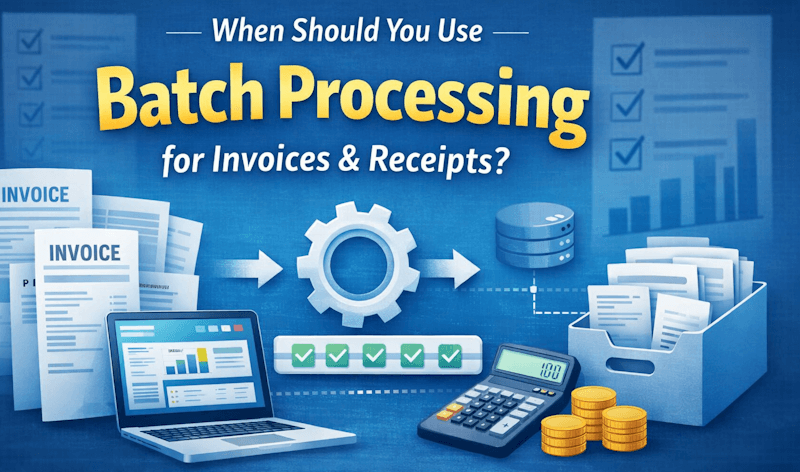
When Should You Use Batch Processing for Invoices & Receipts?
Finance teams today are under constant pressure to move faster without sacrificing accuracy. Whether you’re handling vendor invoices, employee expense receipts, or monthly subscription bills, document volume can quickly overwhelm manual workflows. That’s where batch processing becomes a game-changer.
Instead of uploading and processing invoices one at a time, batch processing allows you to submit multiple documents at once for automated extraction and validation. With modern AI-powered tools like invoice processing software and receipt processing automation, this approach can significantly improve productivity while reducing human error.
But when should you actually use batch processing? Is it always the right choice? In this guide, we’ll explore when batch processing makes sense, how it works, and how platforms like DocuNero leverage advanced document OCR to streamline high-volume financial workflows.
What Is Batch Processing in Invoice & Receipt Management?
Batch processing refers to the ability to upload and process multiple financial documents simultaneously rather than handling each one individually. These documents may include:
Vendor invoices
Employee expense receipts
Utility bills
Subscription or SaaS invoices
Purchase order confirmations
Traditionally, accounts payable teams would manually enter data from each document into spreadsheets or accounting software. This process is time-consuming and error-prone. According to research from the Association for Financial Professionals, manual invoice processing significantly increases processing time and operational cost per invoice, especially at scale.
Batch processing combined with AI and OCR changes that dynamic. Instead of copy-pasting, the system extracts structured data such as vendor name, invoice number, totals, tax amounts, and line items automatically.
When Batch Processing Makes the Most Sense
1. High-Volume Invoice Environments
If your organization processes dozens—or hundreds—of invoices per week, batch processing is essential. Handling invoices individually creates bottlenecks, particularly during peak periods such as month-end or quarter-end closing.
With batch uploads, finance teams can process entire folders of PDFs or scanned documents in minutes. AI models then extract structured data consistently across all documents, ensuring accuracy and speed.
This is particularly effective when using AI-driven systems explained in detail in our guide on how AI is transforming invoice processing in 2025, where automation eliminates repetitive manual entry.
2. Recurring Vendor Invoices
Many businesses receive recurring invoices from the same vendors—rent, utilities, SaaS subscriptions, logistics providers, and more. These documents typically follow similar formats.
Batch processing works extremely well in these scenarios because AI models learn document structure patterns over time. As confidence improves, extraction becomes faster and more accurate.
If you’re monitoring extraction accuracy, it’s important to understand OCR confidence scores. Our article on document OCR confidence and how to improve it explains how to evaluate and optimize extraction reliability.
3. Expense Report Consolidation
When employees submit expense receipts in bulk—especially after travel or events—processing each receipt manually is inefficient. Batch processing allows finance teams to upload entire expense folders at once.
Automated receipt processing extracts merchant names, dates, totals, tax details, and line items, reducing reimbursement turnaround time and improving employee satisfaction.
4. Month-End & Year-End Closing
Closing periods often create document backlogs. Finance teams may delay processing small invoices throughout the month and then need to clear them quickly before financial reporting deadlines.
Batch processing ensures rapid data extraction during these high-pressure windows. Instead of rushing manual entry—which increases the risk of errors—you can rely on automation to handle volume spikes efficiently.
5. Migrating Historical Data
If you’re digitizing legacy invoices or migrating from spreadsheets to a new system, batch processing is invaluable. You can upload archived PDFs and scanned documents in bulk and extract structured data for reporting, compliance, or audits.
This is particularly useful when transitioning to automated invoice processing systems that require structured records for analytics and forecasting.
When Batch Processing May Not Be Ideal
While batch processing is powerful, it’s not always the best choice.
1. Single, Urgent Invoices
If you receive one time-sensitive invoice that requires immediate approval, individual processing may be faster for review and validation.
2. Highly Complex Custom Documents
Some invoices contain unusual layouts or non-standard data structures. In these cases, reviewing documents individually may allow closer attention before applying batch automation.
However, modern document OCR technology continues to improve, reducing these limitations significantly.
Key Productivity Benefits of Batch Processing
1. Time Savings
Processing 50 invoices individually could take hours. Uploading them as a batch can reduce processing time to minutes. AI extracts data simultaneously across all documents.
2. Reduced Human Error
Manual data entry introduces typing mistakes, skipped fields, and miscalculated totals. Batch automation standardizes extraction and validation logic, minimizing inconsistencies.
3. Scalable Finance Operations
As your business grows, invoice volume increases. Batch processing ensures your operations scale without proportionally increasing headcount.
4. Cleaner Data for Reporting
Structured outputs—CSV, Excel, or accounting integrations—enable better analytics. Clean data improves forecasting, vendor analysis, and cash flow visibility.
How DocuNero Optimizes Batch Invoice & Receipt Processing
DocuNero is designed for modern finance teams that need speed and precision. Its AI-powered engine processes invoices and receipts in bulk while maintaining high extraction accuracy.
Using intelligent OCR and AI parsing, DocuNero identifies:
Vendor information
Invoice numbers
Due dates
Subtotal and tax breakdowns
Line-item details
Total payable amounts
Batch uploads allow entire folders to be processed at once, making it ideal for small businesses, accountants, bookkeepers, and larger finance teams managing high document volumes.
Whether you're handling accounts payable automation or expense tracking, you can choose a plan that fits your workflow by exploring our pricing options.
Best Practices for Using Batch Processing Effectively
1. Organize Documents Before Upload
Group invoices by month, vendor, or department to maintain structured workflows and simplify validation after extraction.
2. Monitor OCR Confidence
Review confidence scores to identify low-confidence fields that may require manual verification.
3. Validate in Bulk, Not Individually
Instead of opening each invoice separately, use filtered review dashboards to validate extracted totals and tax fields efficiently.
4. Standardize File Formats
Ensure invoices are clear, high-resolution PDFs whenever possible. Clean source documents improve OCR accuracy and reduce processing errors.
Is Batch Processing Right for Your Business?
If you process more than 20–30 invoices or receipts per week, batch processing can dramatically improve efficiency. For growing companies, it transforms finance from a reactive, manual function into a scalable, data-driven operation.
Small businesses benefit from reduced admin time. Accountants gain faster client turnaround. Larger teams achieve smoother month-end closes. The productivity gains compound over time.
Conclusion
Batch processing is not just a convenience feature—it’s a strategic productivity advantage. When combined with AI-powered invoice processing and intelligent receipt automation, it enables finance teams to handle volume without sacrificing accuracy.
By using advanced document OCR technology, businesses can eliminate repetitive data entry, reduce errors, and focus on higher-value financial analysis.
If your current workflow involves spreadsheets, copy-paste, or slow manual entry, it may be time to rethink your process. Explore how automation can transform your finance operations.
In a world where efficiency drives competitiveness, batch processing isn’t optional for high-volume teams—it’s essential.
Ready to get started with DocuNero?
Join thousands of users who trust us to automate their invoices and receipts with AI.
Start Free with DocuNeroAdmin
Admin at DocuNero, helping users simplify invoice and receipt processing through AI-powered automation.
View all posts by AdminRelated Posts

What Is Document OCR Confidence and How to Improve It?
OCR confidence determines how reliable your extracted document data really is. Learn what OCR confidence means, why it matters for productivity, and proven ways to improve accuracy in invoice and receipt processing.
The Hidden Costs of Manual Data Entry (And How to Eliminate Them)
Manual data entry may appear inexpensive, but it silently drains productivity, increases errors, and slows financial operations. This article exposes the hidden costs of manual data entry in accounting and explains how AI-powered document automation eliminates inefficiencies at scale.