How to Extract Line Items From Invoices Automatically (Using AI)
 Admin3 min read
Manually extracting invoice line items is slow and error-prone. Learn how AI automatically captures quantities, prices, taxes, and totals—accurately and at scale.
Introduction
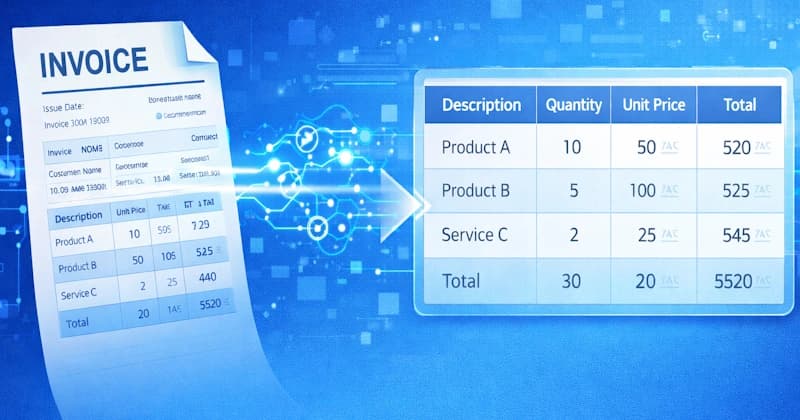
Invoices are more than just totals and tax amounts. The real value lies in line-item data—individual products or services, quantities, unit prices, and line-level taxes. Unfortunately, extracting this information manually is one of the most time-consuming tasks for finance teams.
Many businesses still rely on copy-paste or basic OCR tools, which often fail to capture line items accurately. This is where AI-powered line item extraction changes the game.
In this blog, we’ll explain:
What invoice line items are
Why manual extraction fails
How AI extracts line items automatically
How tools like DocuNero make the process accurate and scalable
What Are Invoice Line Items?
Invoice line items are the detailed breakdown of charges listed on an invoice. Each line item typically includes:
Product or service description
Quantity
Unit price
Line total
Tax (if applicable)
For accounting, auditing, and expense analysis, this data is far more valuable than just the invoice total.
Why Manual Line Item Extraction Is a Problem
1. Time-Consuming
Extracting line items manually from invoices can take several minutes per document. At scale, this becomes hours—or even days—of repetitive work.
2. Error-Prone
Human errors such as:
Incorrect quantities
Misplaced decimal points
Skipped line items
can lead to inaccurate records and reconciliation issues.
3. Not Scalable
Manual extraction doesn’t work when you’re processing:
Hundreds of invoices
Multiple suppliers
Different invoice layouts
Why Traditional OCR Struggles With Line Items
Basic OCR tools are designed to read text, not understand structure.
Common issues include:
Broken tables
Merged columns
Misaligned rows
Inconsistent column mapping
OCR alone cannot reliably distinguish between headers, rows, and totals in complex invoice tables.
How AI Extracts Invoice Line Items Automatically
AI-powered document processing goes beyond text recognition.
Step 1: Document Understanding
AI models analyze the invoice layout to identify:
Table boundaries
Headers and rows
Line-item sections
Step 2: Field Classification
Each data point is classified intelligently:
Description
Quantity
Unit price
Tax
Line total
Step 3: Validation & Accuracy Checks
AI validates extracted values by:
Checking totals against line sums
Verifying tax calculations
Detecting missing or duplicated entries
This dramatically improves accuracy compared to OCR-only solutions.
Key Benefits of Automated Line Item Extraction
1. Higher Accuracy
AI reduces manual errors and improves data consistency across invoices.
2. Faster Processing
Invoices that once took minutes to process are completed in seconds.
3. Scales With Your Business
Whether you process 10 invoices or 10,000, AI handles volume effortlessly.
4. Clean, Structured Output
Extracted data can be exported into:
Excel
CSV
JSON
Accounting systems
How DocuNero Extracts Line Items From Invoices
DocuNero uses AI-powered document analysis to automatically extract structured line-item data from invoices.
Key capabilities include:
Automatic detection of line-item tables
Accurate extraction of quantities, prices, and taxes
Support for scanned and digital invoices
Multi-vendor and multi-format compatibility
Export-ready structured data
Instead of manually cleaning spreadsheets, users receive ready-to-use financial data.
Try Line Item Extraction for Free
Upload invoices and see how AI extracts line items automatically.
Who Benefits From Automated Line Item Extraction?
This feature is especially useful for:
Accounting teams
Bookkeepers
Finance departments
Operations teams
Businesses processing high invoice volumes
Any organization aiming to reduce manual work and improve accuracy benefits from automation.
When Should You Use AI for Line Item Extraction?
You should consider AI if:
You process invoices regularly
Line-item accuracy matters
You work with multiple suppliers
You need structured data for reporting or reconciliation
If your team still relies on manual extraction, automation can deliver immediate ROI.
Conclusion
Extracting line items from invoices manually is inefficient, error-prone, and difficult to scale. Traditional OCR tools fall short when dealing with complex tables and varied layouts.
AI-powered line item extraction solves these challenges by understanding document structure, validating data, and delivering clean, structured outputs. Platforms like DocuNero make it possible to automate this process fully—saving time, reducing errors, and improving financial accuracy.
As invoice volumes grow, automated line-item extraction is no longer a nice-to-have feature—it’s a necessity.
Ready to get started with DocuNero?
Join thousands of users who trust us to automate their invoices and receipts with AI.
Start Free with DocuNeroAdmin
Admin at DocuNero, helping users simplify invoice and receipt processing through AI-powered automation.
View all posts by AdminRelated Posts

Understanding GST/VAT Extraction: What Every Business Should Know
GST and VAT extraction is critical for accurate tax reporting and compliance. Learn how it works, common challenges, and how automation improves accuracy.

OCR vs Manual Data Entry: Accuracy, Speed & Cost Comparison (2025 Edition)
Manual data entry is slow, expensive, and error-prone. This guide compares manual work with modern OCR + AI automation to show which method wins in 2025.