OCR vs AI Invoice Processing: What’s the Difference and Which One Should You Use?
 Admin4 min read
OCR invoice tools can read text, but modern businesses need more than raw data extraction. This guide explains the real difference between traditional OCR and AI-powered invoice processing—and how choosing the right approach can save time, reduce errors, and scale your finance workflows.
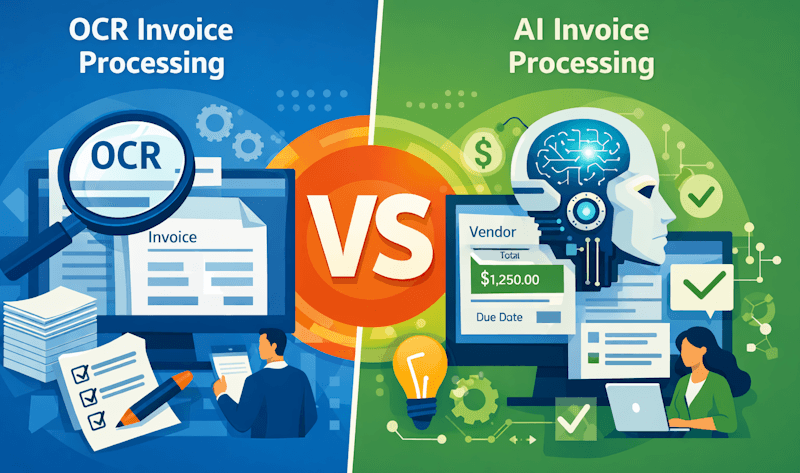
Introduction
Invoice processing has evolved significantly over the years. What started as manual data entry moved to OCR-based scanning and has now advanced to intelligent, AI-driven automation. Despite this progress, many businesses still confuse OCR invoice processing with AI invoice processing.
Both approaches extract data from invoices—but that’s where the similarity ends.
Understanding the difference between OCR and AI-powered invoice processing is critical if you want faster processing, higher accuracy, and workflows that scale with your business.
What Is OCR Invoice Processing?
OCR (Optical Character Recognition) is a technology used to convert text from scanned images or PDFs into machine-readable data.
In invoice processing, OCR software typically:
Scans invoices or receipts
Detects printed or handwritten text
Outputs raw text or basic fields
OCR plays an important role in digitizing documents and is often the foundation of basic document OCR workflows used by many finance teams today.
However, OCR focuses only on recognizing characters—not understanding what they mean.
Limitations of OCR-Based Invoice Processing
While OCR improves efficiency compared to manual entry, it has notable limitations in real-world invoice scenarios:
No understanding of invoice context
Heavy reliance on fixed templates
Poor handling of layout changes
Frequent need for manual correction
Limited support for multi-page invoices
Because OCR cannot distinguish between totals, taxes, and line items reliably, finance teams often spend significant time validating extracted data—reducing the benefits of automation.
What Is AI Invoice Processing?
AI invoice processing builds on OCR by adding machine learning and contextual understanding. Instead of just reading text, AI systems interpret invoices the way humans do.
With AI-powered invoice processing, software can automatically:
Identify vendors accurately
Extract totals, taxes, and currencies
Understand line-item structures
Validate data consistency
Adapt to new invoice formats
This intelligence allows modern invoice automation platforms to work across thousands of vendor layouts without predefined templates.
OCR vs AI Invoice Processing: Key Differences
Capability | OCR Invoice Processing | AI Invoice Processing |
|---|---|---|
Data recognition | Text only | Context-aware |
Template dependency | High | Low |
Accuracy | Medium | High |
Manual effort | High | Minimal |
Learning capability | None | Continuous |
Scalability | Limited | High |
AI-powered systems improve over time, making them ideal for businesses processing invoices at scale.
Why AI Invoice Processing Is More Effective
AI invoice processing excels in complex, high-volume environments where traditional OCR struggles.
Key advantages include:
Automatic handling of diverse vendor formats
Accurate line-item extraction
Multi-currency and tax recognition
Built-in duplicate invoice detection
Faster processing with fewer errors
When combined with advanced document OCR capabilities, AI-driven systems deliver consistently higher accuracy—even with scanned or low-quality invoices.
OCR vs AI: Which One Is Right for Your Business?
OCR-based invoice processing may work if:
Invoice volume is low
Vendors use consistent formats
Manual verification is acceptable
AI invoice processing is the better choice if:
Invoice volume is growing
Vendors use varied layouts
Accuracy and speed matter
You want end-to-end automation
Businesses managing large uploads or recurring invoices often rely on batch invoice processing workflows to eliminate manual intervention entirely.
Read this blog: OCR vs Manual Data Entry: Accuracy, Speed & Cost Comparison
Real-World Example: OCR vs AI in Action
Consider processing 500 invoices from hundreds of vendors.
With OCR:
Layout variations cause extraction errors
Manual validation takes hours
Errors slip through unnoticed
With AI invoice processing:
Vendors are recognized automatically
Line items and totals are validated
Exceptions are flagged instantly
This shift toward intelligent automation reflects broader industry trends in document processing, driven by advances in machine learning and document intelligence as explained by IBM’s overview of optical character recognition.
Final Thoughts
OCR helped businesses move away from paper-based processes. AI invoice processing takes the next step—from reading invoices to understanding them.
If your goal is to reduce manual effort, improve accuracy, and scale invoice operations efficiently, AI-powered invoice processing is no longer optional—it’s essential.
Modern businesses are increasingly adopting intelligent invoice automation to stay competitive and future-ready.
Ready to get started with DocuNero?
Join thousands of users who trust us to automate their invoices and receipts with AI.
Start Free with DocuNeroAdmin
Admin at DocuNero, helping users simplify invoice and receipt processing through AI-powered automation.
View all posts by Admin