How to Automate Month-End Reconciliation Using AI
 Admin3 min read
Month-end reconciliation doesn’t have to be slow or stressful. Learn how AI automates reconciliation, reduces errors, and helps finance teams close books faster.
Introduction
Month-end reconciliation is one of the most critical—and time-consuming—processes for finance teams. Matching invoices, receipts, and bank transactions manually often leads to late closes, data inconsistencies, and unnecessary stress.
As transaction volumes grow, spreadsheet-based reconciliation becomes increasingly difficult to manage. This is where AI-powered automation is transforming the month-end close process.
In this guide, you’ll learn:
What month-end reconciliation involves
Why manual reconciliation slows teams down
How AI automates reconciliation workflows
How DocuNero supports faster, more accurate reconciliation
What Is Month-End Reconciliation?
Month-end reconciliation is the process of ensuring financial records match across multiple data sources, including:
Invoices
Receipts
Bank statements
Accounting system entries
The goal is to confirm that balances are accurate before finalizing financial reports.
Why Manual Month-End Reconciliation Is Inefficient
1. Heavy Manual Data Entry
Finance teams often manually copy data from PDFs, emails, and spreadsheets into accounting systems.
This problem is amplified when receipts are still handled manually.
👉 Related reading: [A Beginner’s Guide to Receipt Digitization for Businesses]
2. Frequent Data Mismatches
Common reconciliation issues include:
Missing receipts
Duplicate invoices
Incorrect totals or tax amounts
Currency mismatches
Without automation, identifying these discrepancies requires extensive manual checks.
3. Spreadsheet Dependency
Spreadsheets:
Don’t scale well
Are prone to human error
Lack clear audit trails
As transaction volume increases, spreadsheets become a reconciliation bottleneck.
How AI Automates Month-End Reconciliation
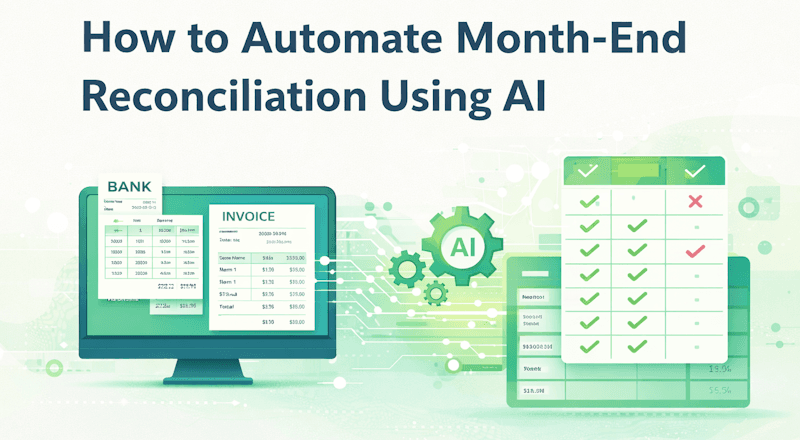
AI-powered reconciliation combines document extraction, intelligent matching, and exception handling.
Step 1: Automated Document Ingestion
AI systems automatically ingest:
Invoices
Receipts
Bank statements
This eliminates the need for manual uploads and data entry.
Step 2: Structured Data Extraction
AI extracts key financial fields such as:
Vendor name
Date
Amount
Tax
Currency
Line items
For invoices, accurate line-item extraction is especially important.
👉 Related guide: [How to Extract Line Items From Invoices Automatically]
Step 3: Intelligent Matching
AI matches extracted data across sources:
Invoice totals ↔ bank transactions
Receipts ↔ expense entries
Line items ↔ ledger records
This reduces manual reconciliation effort significantly.
Step 4: Exception Detection
Instead of reviewing every transaction, finance teams focus only on exceptions:
Missing documents
Duplicate entries
Amount discrepancies
AI automatically flags these issues for review.
Benefits of AI-Powered Month-End Reconciliation
✅ Faster Financial Close
Businesses can reduce month-end close cycles from days to hours.
✅ Improved Accuracy
AI validation minimizes human error and ensures consistent data.
✅ Audit-Ready Records
Structured, searchable data simplifies audits and compliance.
✅ Scalable Finance Operations
AI scales as transaction volume grows—without adding headcount.
How DocuNero Supports Automated Reconciliation
DocuNero helps automate critical parts of the reconciliation workflow by converting unstructured documents into clean, structured financial data.
Key capabilities include:
AI-powered invoice and receipt extraction
Bank statement parsing*
Structured exports (Excel, CSV, JSON)
Centralized document storage
This structured output becomes the foundation for reliable reconciliation.
👉 Useful related reading:
Who Benefits Most From AI-Based Reconciliation?
AI-powered reconciliation is ideal for:
Accounting teams
Finance managers
Bookkeepers
Growing businesses with increasing transaction volumes
Any team aiming to shorten close cycles and improve accuracy benefits from automation.
When Should You Automate Month-End Reconciliation?
You should consider automation if:
Month-end close consistently runs late
Manual reconciliation consumes excessive time
Errors surface during audits
Transaction volume is increasing
Early automation prevents operational friction as the business scales.
Best Practices for Implementing AI Reconciliation
Digitize invoices and receipts early
Standardize data formats
Automate matching and exception detection
Keep review checkpoints for control
Export structured data into accounting systems
Conclusion
Month-end reconciliation no longer needs to be a stressful, manual process. AI-powered automation enables finance teams to process documents faster, reduce errors, and focus on exceptions instead of repetitive work.
By digitizing documents, extracting structured data, and automating matching logic, businesses can significantly shorten close cycles. Platforms like DocuNero provide the foundation needed to modernize reconciliation workflows and build scalable finance operations.
Ready to get started with DocuNero?
Join thousands of users who trust us to automate their invoices and receipts with AI.
Start Free with DocuNeroAdmin
Admin at DocuNero, helping users simplify invoice and receipt processing through AI-powered automation.
View all posts by Admin